Keep the broadcast moving.
Switch to a low-bitrate scene or BRB when the incoming feed drops. Return to your camera after the signal recovers.
AUTOMATIC SCENE PROTECTIONA desktop control room for your camera, OBS, guests, and chat. Run it on your PC. Take control from your phone.
Explore the toolkitRead the setup guideSELF-HOSTED SOFTWARE · ACTIVATION KEY REQUIRED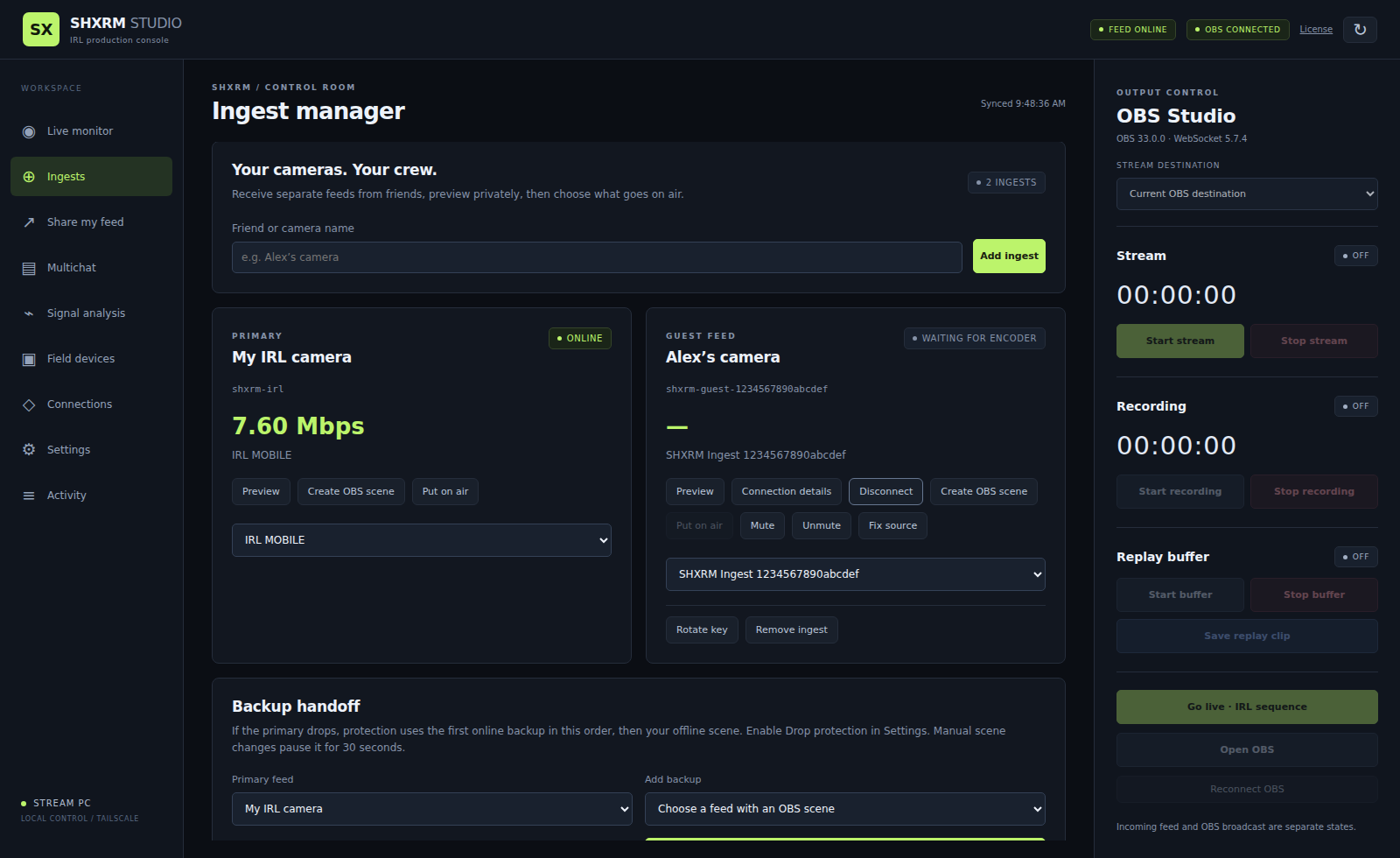
Control your configured OBS destination.
01 / THE TOOLKIT
From the first camera connection to the last chat message, keep the controls you need within reach.
Switch to a low-bitrate scene or BRB when the incoming feed drops. Return to your camera after the signal recovers.
AUTOMATIC SCENE PROTECTIONAdd incoming cameras with individual publishing credentials. Preview, mute, repair, and choose your primary or backup feed.
GUEST INGEST MANAGERConnect your Twitch, Kick, and YouTube accounts using your own app registrations. Read together and choose where to reply.
MULTICHATOpen OBS on your streaming PC, change scenes, and control streaming, recording, and replay from your desktop or phone.
REMOTE OBS CONTROLCreate a private, read-only camera connection for a friend’s OBS. Revoke or rotate their access without sharing your owner login.
OUTGOING FEED SHARINGSee bitrate and signal history, inspect connection health, and turn toolkit connections on or off from a dedicated workspace.
SIGNAL & CONNECTION CONTROLSScene protection works during an active OBS broadcast. Your streaming PC and its internet connection must stay available.
02 / YOUR SETUP, YOUR WAY
Use your own Windows PC, OBS, encoder, and platform accounts. SHXRM is software for your setup; a hosted server and cellular bonding are separate.
Download the Windows release when available, run the installer, and activate your streaming PC with your purchase key.
Link OBS, bring in your SRT or RTMP camera, and set up private phone access. Add your own chat applications when you’re ready.
Check preview, scene switching, drop recovery, and stop controls off air. Use the acceptance guide before your first broadcast.
03 / GET SET UP
Detailed guides for the setup you actually own. Start with the basics, then add guests, sharing, and chat.
Install, activate, connect OBS, and get your first camera online.
Read setup guideRegister your platform apps and authorize each account.
Read multichat guideShare your camera safely with friends using their own OBS.
Read feed-sharing guideActivate a key, manage your PC, and move your license.
Read activation guide04 / SHXRM STUDIO FOR WINDOWS
A paid activation key unlocks the toolkit on your streaming PC. Download availability and purchase details will appear here when the public release is ready.
The Windows download and purchase checkout are not available yet.
Mobile access controls the same activated PC. Streaming-platform fees, network services, and optional hosting are separate.
05 / GOOD TO KNOW
SHXRM Studio is a self-hosted Windows app. You run it on your own streaming PC or a compatible Windows host you maintain. A SHXRM-hosted server, internet service, and bonding hardware are not included.
Yes. Set up an owner login and private network access, such as Tailscale, to open the mobile dashboard. The streaming PC must be awake, connected, and running SHXRM. Phone access to that PC does not use another PC activation.
Studio controls one OBS stream output at a time. Twitch, Kick, and YouTube chat can all be connected together. Simultaneous broadcasting to multiple destinations requires your own OBS plugin or relay.
Each installation uses its own platform registrations and account authorization. Your YouTube quota belongs to your Google project; platform limits still apply. Kick chat also needs your own reachable HTTPS webhook receiver. The multichat guide walks through each connection.
With protection enabled and OBS broadcasting, SHXRM can switch to your configured low-bitrate or BRB scene, or an online backup feed. After the signal meets your recovery settings, it returns to the normal scene. Your PC and OBS output must remain running.
The public Windows release and checkout are being prepared. This page will link to the buyer download and purchase checkout once they are available. GitHub’s source ZIP will contain setup documentation; the compiled app will be a release download.